Launching a new app is exciting… and a little scary. You’ve built something useful, you’ve polished the UI, you’ve tested the flows—and now you’re thinking: How do people actually find my app in the App Store / Play Store? That’s where ASO (App Store Optimization) comes in.
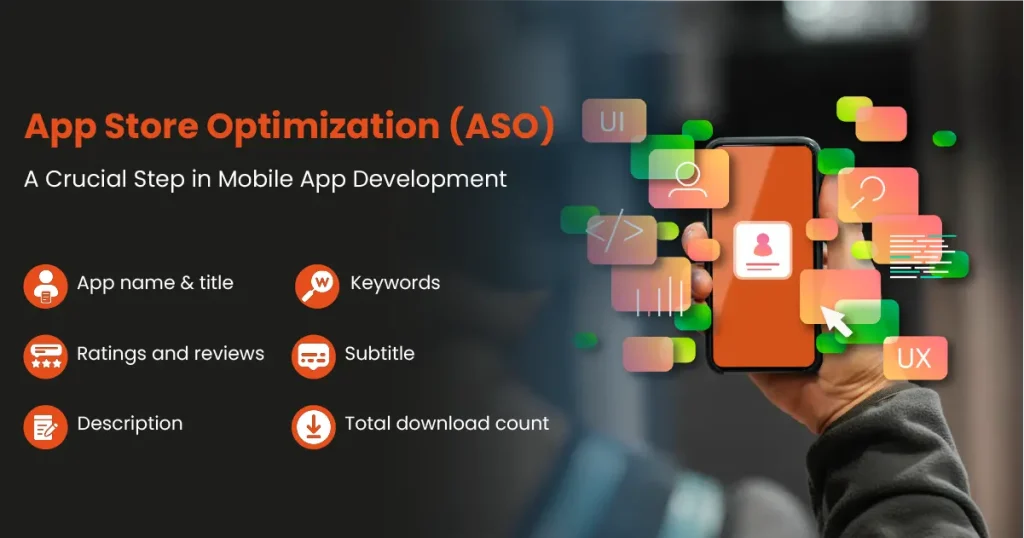
ASO is basically SEO for app stores—the process of improving your app’s visibility and conversion rate so more people discover it and install it. The best part? You don’t need a huge marketing budget to start seeing results. With the right foundation, ASO can become your most reliable growth channel.
This guide is built for new apps—meaning you don’t yet have lots of downloads, reviews, or brand awareness. We’ll focus on what matters most early, what to avoid, and how to build a simple ASO routine that compounds over time.
What ASO Actually Means (In Simple Words)
ASO helps your app in two big ways:
1) Ranking (Discoverability)
How easily people find your app when they search for keywords like:
- “expense tracker”
- “food delivery”
- “fitness plan”
- “invoice maker”
- “habit tracker”
2) Conversion (Install Rate)
Once people land on your app listing, how many of them actually install?
That depends on:
- icon
- screenshots
- video
- reviews/ratings
- description clarity
- trust signals
- pricing and onboarding expectations
ASO isn’t one thing—it’s a full listing + positioning system.
The ASO Mindset for New Apps: Start Narrow, Win Small, Expand
New apps often fail because they try to rank for huge keywords immediately.
Example: Trying to rank for “music” or “chat” or “shopping” is like starting a small shop and trying to compete with Amazon on day one.
Instead:
- Target specific, high-intent keywords
- Win small pockets of search
- Grow authority and installs
- Expand to broader keywords over time
Friendly tip: Your first ASO goal isn’t “rank #1 everywhere.” It’s “rank for the right terms and convert the traffic you already get.”
Want a quick ASO audit for your new app?
Grocito can review your app listing (keywords, screenshots, icon, messaging) and share a clear action plan to improve visibility and installs.
How App Stores Decide Rankings (The Practical Version)
App Store and Play Store algorithms are not identical, but they generally care about:
A) Relevance
Does your title/keywords/description match what the user searched?
B) Performance
If users discover your app, do they install and keep it? Signals include:
- conversion rate (views → installs)
- retention (do people keep using it?)
- uninstall rate
- crash rate
- app speed/stability
C) Trust
- ratings and reviews
- review sentiment and freshness
- developer reputation
- policy compliance
So ASO isn’t just text. It’s product quality + listing quality.
ASO Pillar 1: Keyword Research (Your Foundation)
Keyword research for ASO means:
What exact words do users type when they want an app like yours?
Step 1: Understand your “jobs-to-be-done”
Ask:
- What problem does the app solve?
- What outcome does the user want?
- What would they search in a hurry?
Example: If your app helps schedule tasks, users might search:
- “daily planner”
- “task manager”
- “to do list”
- “routine tracker”
Step 2: Build a keyword list (start with 50–150)
Use brainstorming + competitor scanning:
- Feature keywords: “invoice”, “scanner”, “tracking”
- Outcome keywords: “save money”, “get fit”, “study better”
- Audience keywords: “for students”, “for freelancers”
- Local keywords (if relevant): city/region-specific terms
Step 3: Pick “starter keywords”
For a new app, choose keywords that are:
- specific (less competitive)
- directly relevant
- high intent
Examples:
- “invoice maker for freelancers” (better for new apps)
- rather than “invoice” (too broad)
Step 4: Assign keywords to pages/sections of your listing
ASO keyword placement matters—so don’t dump everything everywhere.
You want a clean strategy:
- Main keyword in title (if possible)
- Secondary keywords in short description/subtitle
- Supporting keywords naturally in full description
Friendly tip: Don’t chase keywords that don’t match your app. You might get installs, but low retention can hurt performance signals.
ASO Pillar 2: Your App Name + Title (This Is Prime Real Estate)
Your app title is one of the strongest visibility fields.
Best practice structure (simple):
Brand Name + Primary Keyword Example:
- “Grocito — Project Planner”
- “Pulse — Habit Tracker”
- “FinFlow — Expense Manager”
Keep it:
- readable
- not spammy
- aligned with your real value
Avoid:
- stuffing too many keywords
- weird separators and repetition
- misleading claims
ASO Pillar 3: Subtitle / Short Description (Make It Click)
This is where you quickly answer: What does this app do for me?
Good short descriptions:
- focus on outcomes
- use simple words
- feel trustworthy
Examples:
- “Plan tasks, set reminders, and stay consistent.”
- “Track expenses, set budgets, and save more monthly.”
- “Create invoices in minutes and get paid faster.”
Think of it like a billboard. Short. Clear. Helpful.
ASO Pillar 4: Screenshots (Your #1 Conversion Driver)
For most apps, screenshots are the biggest “install decision” factor—especially for new brands.
Your screenshot job:
Tell a story in 5–8 frames:
- What is it?
- What’s the #1 benefit?
- Show the main feature (clean UI)
- Show proof or trust (if possible)
- Show secondary benefits
- Show ease of use (quick steps)
- Show who it’s for
- End with a strong value line
Screenshot best practices:
- Use big readable text (not paragraphs)
- Use simple benefit headlines
- Use real UI, not overly edited
- Use consistent colors and layout
- Prioritize the first 3 screenshots (most viewed)
Friendly tip: Your screenshots should be understandable even if the user never reads your description.
Need high-converting ASO creatives?
Grocito can design your app store icon, screenshots, and preview visuals to improve installs and build trust instantly.
ASO Pillar 5: App Icon (Small, but Extremely Important)
Your icon is your “first impression” in search results.
What a strong icon does:
- looks clear at tiny size
- feels modern and confident
- matches your brand style
- stands out without being noisy
Icon tips:
- keep it simple (1 core element)
- avoid too much text
- use high contrast
- test it on different backgrounds
- ensure consistency with your app UI style
Friendly tip: If your icon looks generic, your app will feel generic—even if it’s amazing.
ASO Pillar 6: App Description (Structure Beats Length)
Many people won’t read long descriptions, but stores still use text to understand relevance. So your description must be:
- easy to scan
- keyword-aligned
- trust-building
A strong description structure:
Opening (2–3 lines):
- what app does
- who it’s for
- main benefit
Key Benefits (bullets):
- 5–8 short points
Feature Breakdown:
- keep it clean and grouped
Trust Section:
- security / privacy
- support
- updates
Closing CTA:
- invite action without pressure
Don’t do this:
- keyword stuffing
- big blocks of text
- exaggerated claims
- “best app ever!!!” style
ASO Pillar 7: Ratings & Reviews (Trust + Ranking Power)
For new apps, reviews feel hard to get—but you don’t need thousands. You need a steady flow of honest feedback.
How to generate reviews the right way:
- Ask after a positive moment (success state)
- Avoid asking immediately on first open
- Use friendly microcopy:
- “If this app helped you today, would you mind leaving a quick review?”
What NOT to do:
- buy fake reviews
- spam prompts
- block the user until they rate
Review management matters:
- Reply to reviews (especially negative)
- Show you’re active
- Fix issues and mention it in updates
Friendly tip: A few fresh reviews every week beats a one-time spike.
ASO Pillar 8: Retention & Performance (ASO’s “Invisible” Side)
Even the best listing won’t rank long-term if users install and immediately uninstall.
Improve retention by fixing:
- confusing onboarding
- too many permissions too early
- slow loading and crashes
- unclear value in first session
- forced login without reason
Your “first-session” goal:
Make users feel a small win within 60–90 seconds:
- created first task
- scanned first doc
- saved first expense
- completed first workout
- booked first appointment
App stores love apps people keep.
ASO Pillar 9: Localization (Easy Wins for Many Apps)
Localization = adapting your listing to different languages/regions.
Even basic localization can help you rank for:
- local keywords
- regional search patterns
- language-based queries
Start simple:
- Localize title/subtitle
- Localize screenshot text
- Localize short description
Friendly tip: If your app targets India, even small regional language optimization can unlock new traffic pockets.
ASO Pillar 10: Category + Tag Choices (Don’t Accidentally Misplace Your App)
Category impacts:
- who you compete with
- how users browse
- what keywords align
Pick the category that matches your core use-case, not the “closest one.” Misalignment can hurt conversion and retention.
ASO Pillar 11: Update Strategy (Keep Your Listing Alive)
New apps should update in a predictable rhythm. Not for “features every week,” but for:
- bug fixes
- performance
- small improvements
- feedback response
- trust signals
Don’t forget release notes:
Release notes are part of your brand voice. Keep them:
- clear
- friendly
- human
- focused on benefits (“faster load time”, “fixed login issue”, “improved onboarding”)
ASO Pillar 12: A/B Testing (Convert Better Over Time)
If you can test:
- icons
- screenshot sets
- short descriptions
- preview video styles
…you can steadily improve conversion rate.
Even a small conversion lift can produce big install growth over time because the store gives you more exposure when your listing performs well.
Friendly tip: Test one change at a time. Otherwise you won’t know what improved results.
Common ASO Mistakes New Apps Make (Avoid These)
Mistake 1: Keyword stuffing in the title
Looks spammy, reduces trust, may hurt approval.
Mistake 2: Generic screenshots
If your screenshots look like every other app, users won’t feel urgency to install.
Mistake 3: No clear positioning
If you don’t clearly say who it’s for, you attract everyone—and convert no one.
Mistake 4: Asking for reviews too early
You’ll collect negative reviews before users even understand your value.
Mistake 5: Ignoring retention
ASO isn’t just “get installs.” It’s “get installs that stick.”
A Simple ASO Checklist for New Apps (Launch Ready)
Here’s a practical checklist you can follow before launch:
Keyword & Metadata
- One primary keyword
- 3–5 secondary keywords
- Clear title strategy (brand + keyword)
- Subtitle/short description focused on benefits
- Description structured for scanning
Visuals
- Icon looks clean at small size
- First 3 screenshots are strong
- Screenshot text is readable
- Visual style matches brand
- Preview video (optional) supports conversion
Trust
- Clear privacy and support messaging
- Review prompt set after a positive moment
- Basic FAQs in description or inside app
- Stable build (crash-free baseline)
Post-Launch Routine
- Monitor conversion and retention
- Reply to reviews
- Refresh screenshots if installs are low
- Expand keywords gradually
Launching a new app and want installs faster?
Grocito can help with ASO strategy, app store listing copy, keyword mapping, and conversion-focused creatives for a stronger launch.
A Friendly “First 30 Days ASO Plan” (Simple and Effective)
If you want a realistic roadmap, here’s a great starter plan:
First Week : Foundation
- finalize keyword set
- optimize title/subtitle/description
- create strong icon + screenshots
- set review prompt after success moment
Second Week : Measure
- watch store listing conversion (views → installs)
- track retention basics (day 1 / day 7)
- collect early feedback and fix friction
Third Week : Improve
- adjust screenshot order and text
- improve onboarding clarity
- reply to reviews, fix key issues
Fourth Week : Expand
- add new supporting keywords
- test new creatives (if possible)
- localize listing if relevant
- improve trust elements and update notes
ASO is not a one-time task—it’s a growth habit.
Final Thoughts: ASO Is Your App’s “Always-On Growth Engine”
For new apps, ASO is one of the smartest places to invest because:
- it compounds over time
- it improves both discovery and conversion
- it rewards clarity, trust, and a great product experience
Start simple:
- pick the right keywords
- build strong visuals
- reduce onboarding friction
- earn reviews naturally
- iterate monthly
That’s how new apps become discoverable.
Need quick ASO guidance?
Send us your app category and your app link (or screenshots if it’s not live yet). We’ll suggest the best next steps to improve visibility and installs.